The KuaiJiZi Series · Visual Learning Tools
Two block-based visual learning tools: one turns C++ programming into drag-and-drop blocks, the other turns English grammar into 3D structure. Both are official Microsoft Store apps.
KuaiJiZi C++ Tutor
Learn C++ with blocks
A visual, block-based interface that turns complex C++ concepts into snap-together blocks. Students build programs by combining blocks while real C++ code is generated instantly — from variables, loops and functions to algorithm practice, step by step.
Programming Learning You Can See
Visual block interface
Turn C++ syntax into colourful blocks. Build programs by dragging and snapping — no need to memorise complex grammar first.
Real-time code generation
Every block you add generates the matching C++ code instantly, so logic and syntax always stay connected.
A progressive learning path
From basic syntax to variables, loops and functions, then on to algorithms and projects — a structured path at every stage.
AI-assisted code analysis
AI explains your C++ code and suggests improvements — like having a tutor on call while you learn.
Searchable block toolbox
However many blocks there are, search instantly finds the one you need for the idea in your head.
Projects & practice
Move from simple programs to small projects with live preview — theory and practice together.
Product Screenshots
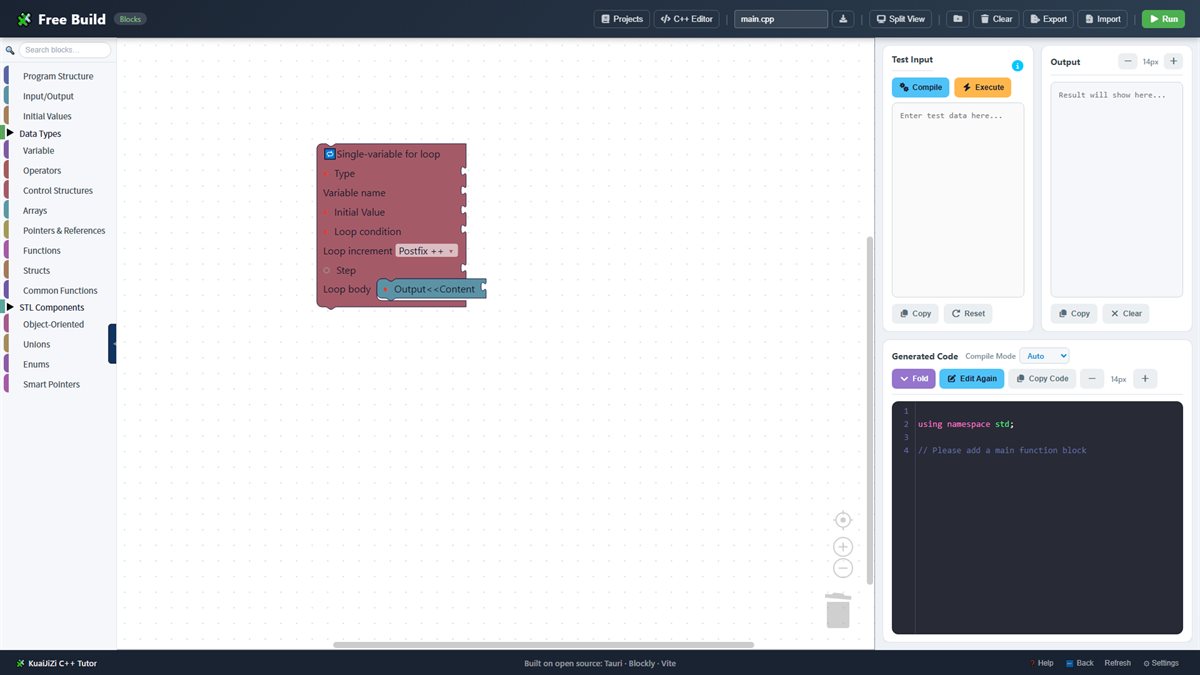 Free building
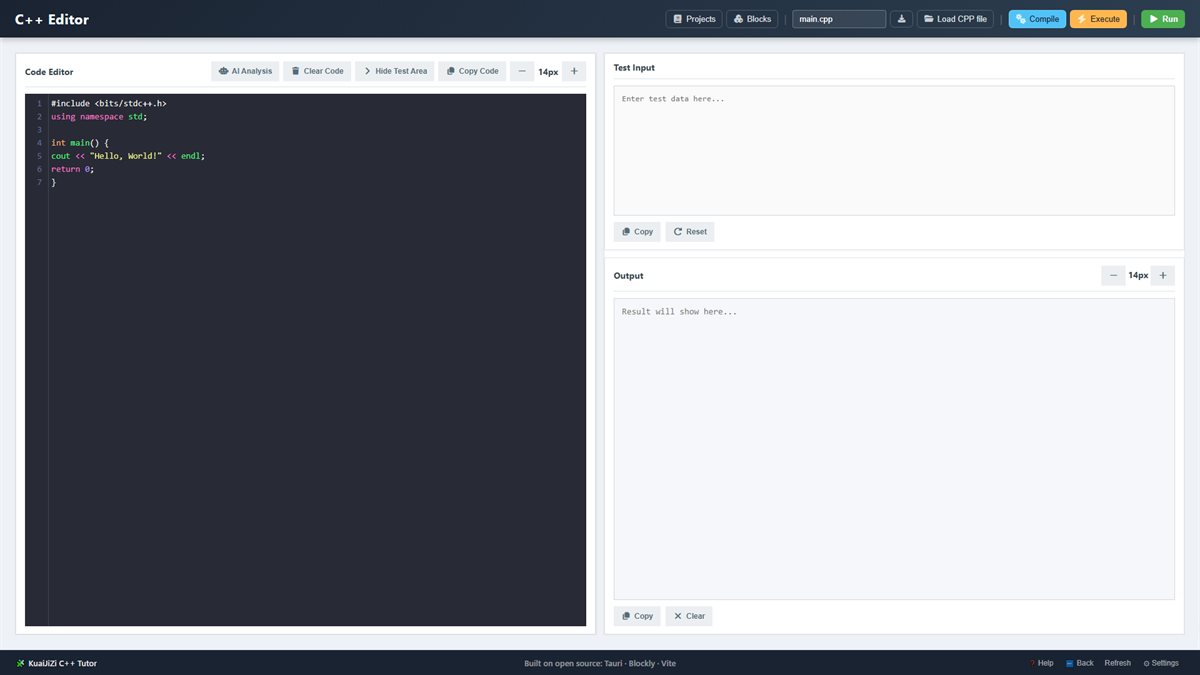 Real-time code
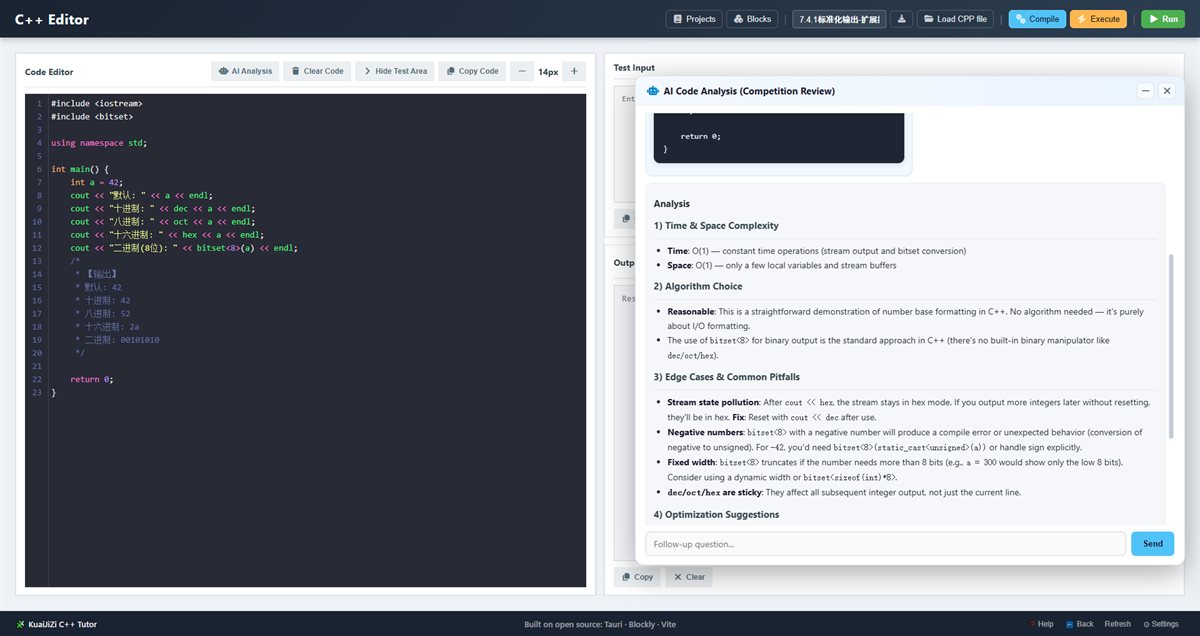 AI analysis
Get KuaiJiZi C++ Tutor
Official channel: Microsoft Store
Microsoft Store
Open the Microsoft Store listing and click "Get / Install" to download.
Go to Microsoft StoreUser Manual
Download the official user manual (PDF, Chinese) for a full guide to features.
Download User ManualKuaijizi 3D English Blocks
Block-built English · 3D grammar coordinates
A visual English grammar learning tool. Start by building sentences with blocks, then see sentence components — subject, predicate, object and more — laid out in an intuitive 3D grammar coordinate system. Includes AI feedback, word cards, vocabulary management and 80 graded sample sentences, with the same core experience on Windows and Android.
Grammar You Can See in 3D
Free building with blocks
A Blockly-based editor with toolboxes for phonics, sentence patterns, word classes, phrases and sentence components — snap an English sentence together.
3D grammar coordinates
X = word class, Y = sentence role, Z = phrase & clause structure. Word spheres hang at the right level; rotate, zoom and see grammar instead of memorising rules.
AI analysis
Use your own API key (DeepSeek & compatible services) for deeper analysis — or the built-in offline static engine when no key is set. API Key Guide
Word cards
Generate a word card anywhere you meet a word: phonetics, meanings, example sentences, word roots, derivatives, collocations and synonyms — with audio and archiving.
Vocabulary & graded sentences
Built-in, custom and add-on word lists (e.g. high-frequency 3500 words); 80 graded sample sentences from beginner to advanced cover key patterns.
Audio & languages
Switch between US and UK pronunciation, adjust reading speed, and use the interface in 8 languages (Chinese, English, Korean, French, Vietnamese, Spanish, German, Arabic).
Product Screenshots
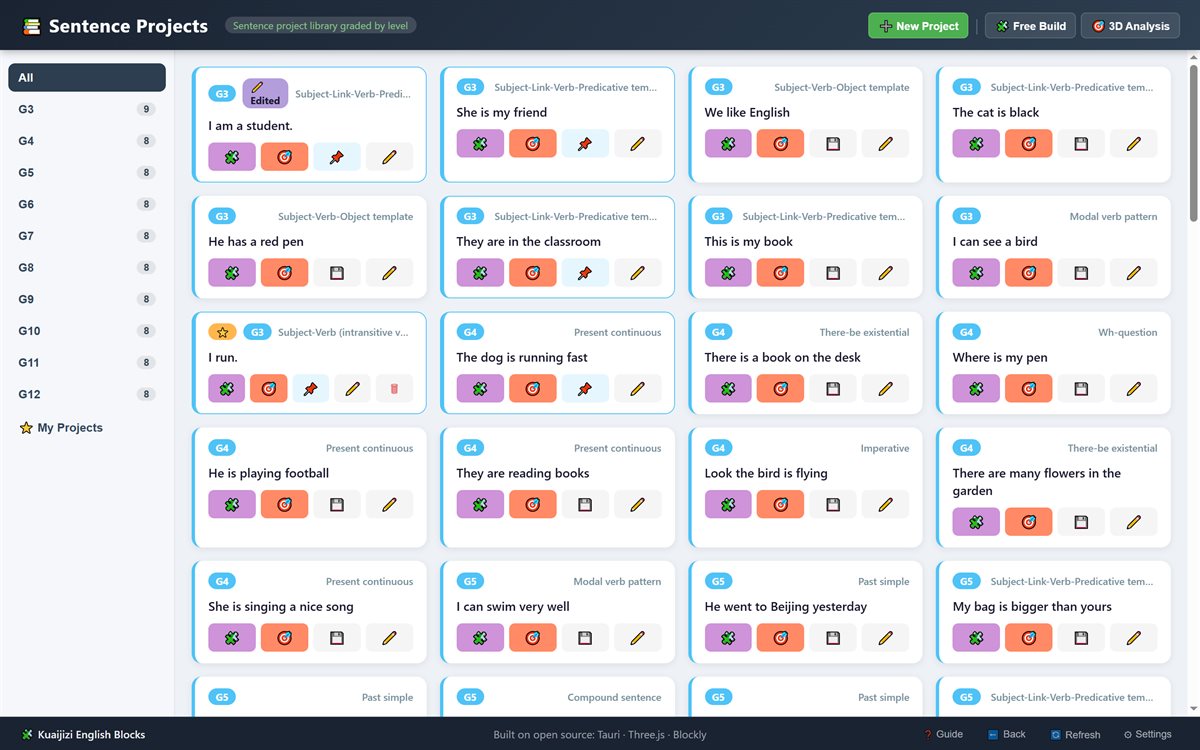 Project learning
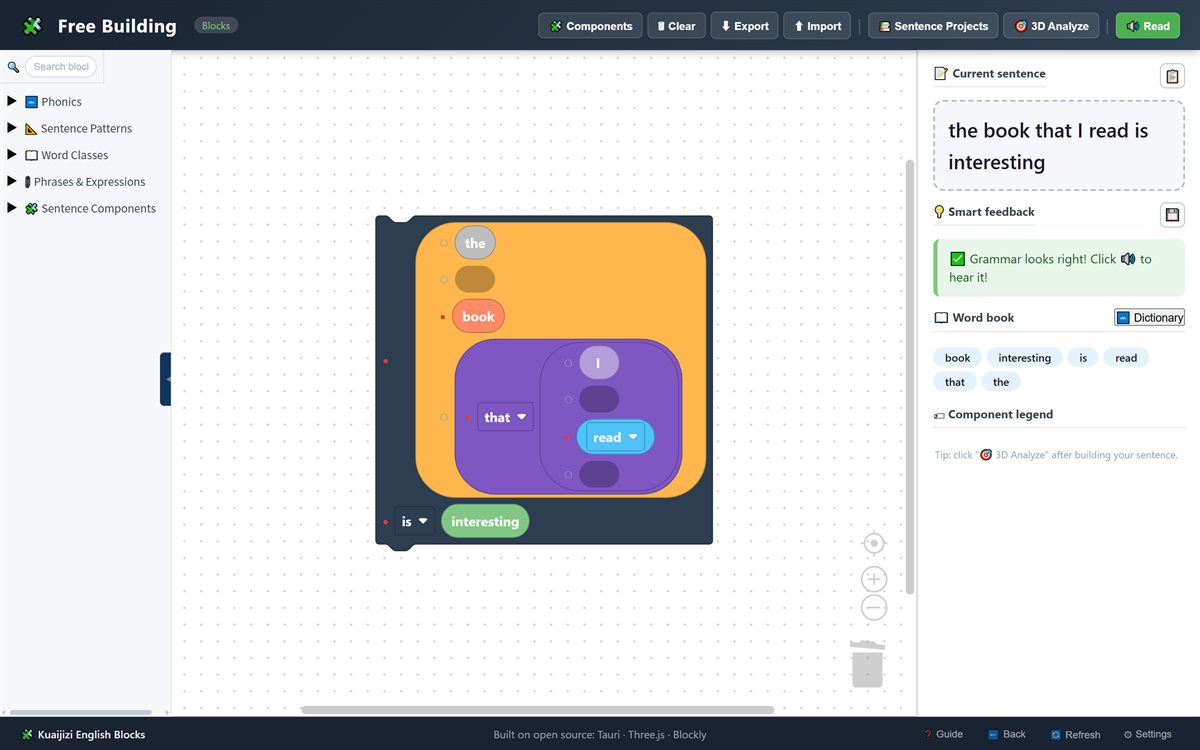 Free building
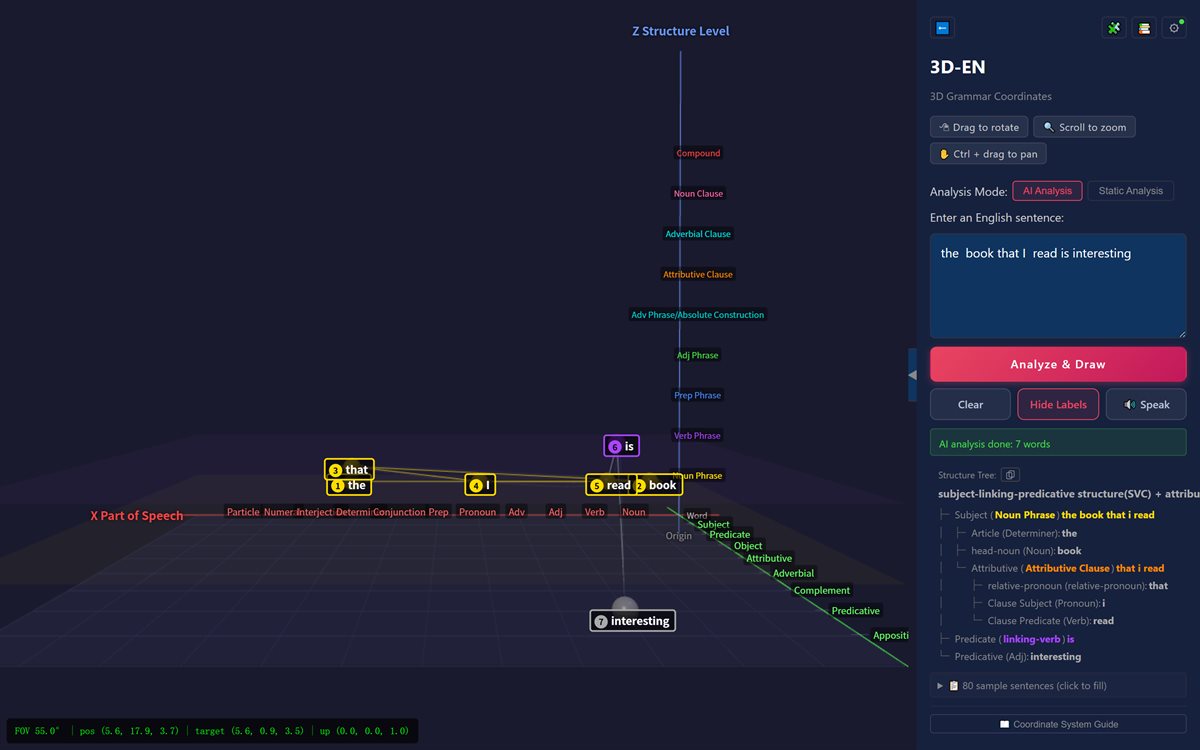 3D analysis
 Word cards
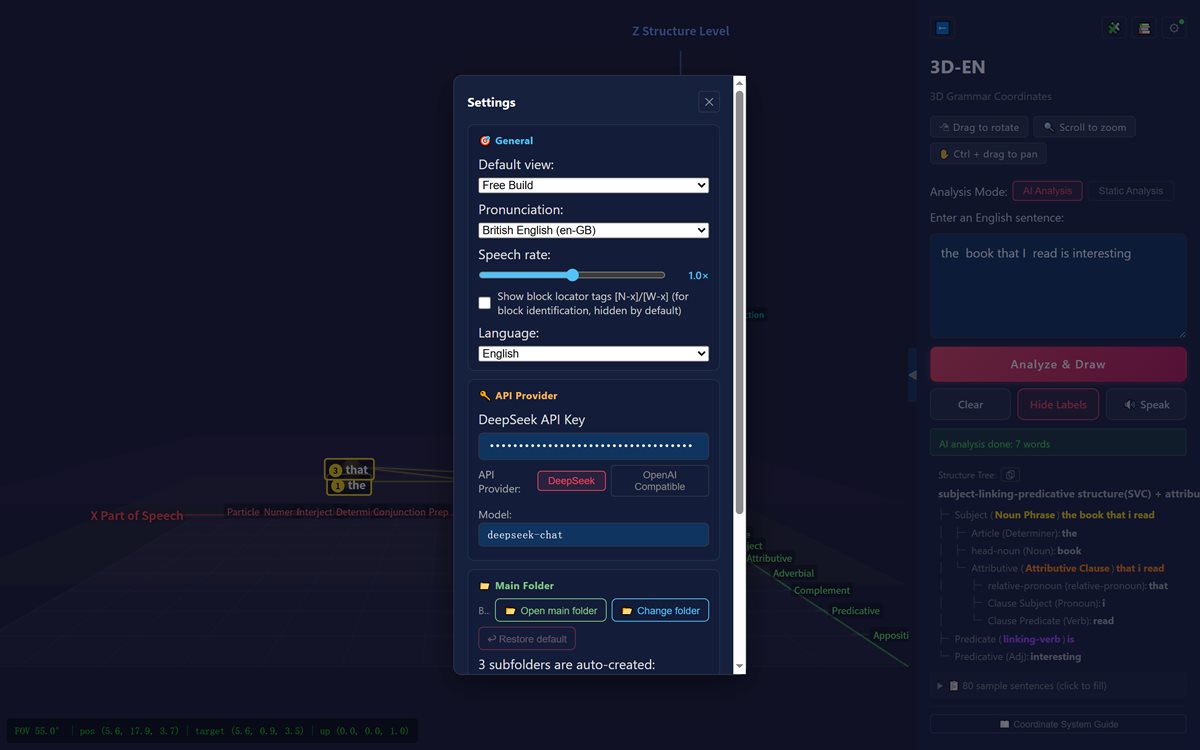 Settings
 Vocabulary
Get Kuaijizi 3D English Blocks
Windows on the Microsoft Store; Android is available for tablets
Windows · Microsoft Store
Get the MSIX desktop version from Microsoft Store. Requires Windows 10 1809+ (64-bit).
Go to Microsoft StoreUser Manual
Download the official user manual (PDF, Chinese) covering setup, UI and all features.
Download User Manual